EduGears AI LMS
Run your own platform
A white-label, AI-native LMS your organization runs under its own name, domain, and brand — your learners never see ours.

Built for
- Training companies and academies selling programs under their own brand
- Schools and universities that want a platform of their own, not a plugin
- Corporate teams running academies for employees, partners, or customers
What you get
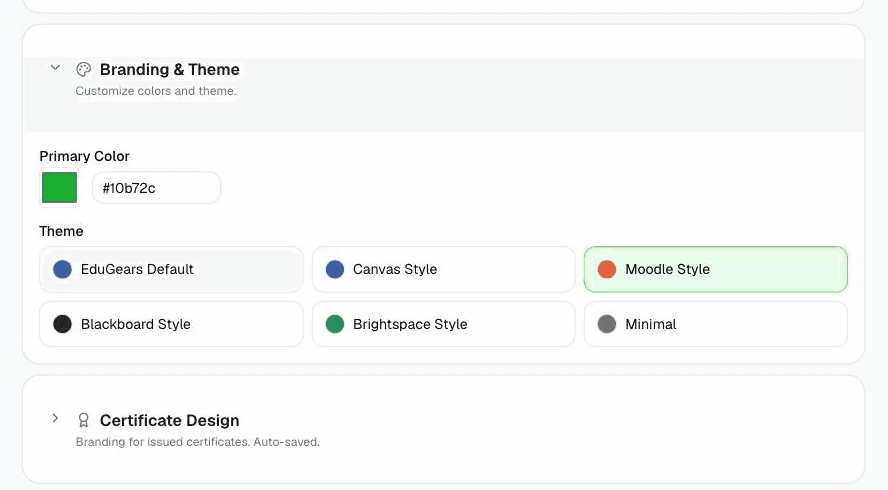
White-label to the last pixel
Learners meet your brand before they sign in — the login page, emails, dashboards, and certificates all resolve from your own domain.
AI for the whole teaching loop
Course generation from a syllabus, tutoring, question banks, and rubric-based automated grading — grounded in your curriculum.
Ask Cog from any page
Cog, the EduGears AI assistant surface, opens on every page already knowing the course or lesson on screen — an AI Tutor that gives learners hints rather than answers before a graded attempt, and an AI Assistant for instructors, both grounded in your own course materials.
Reports & analytics, per role
Owners, instructors, and learners each get the dashboards and reports their decisions actually need — down to a single page with one learner's whole record and a downloadable transcript.
Certificates learners keep
Completion certificates are verifiable Open Badges 3.0 credentials with a public, tenant-branded verification page — with optional validity windows for recertification-driven training.
Campuses under one organization
Branch locations, partners, or a portal per client run as campuses on one shared catalog — rosters isolated per campus, results rolled up for the organization.
Standards-native interoperability
Acts as an LTI 1.3 platform and imports and exports SCORM, Common Cartridge, Moodle backups, and QTI question banks — content moves in and out freely.
Already running an LMS you're happy with? EduGears AI for Moodle & Canvas adds the same AI without a migration.
Included with EduGears AI LMS
Student records live beside your courses
EduGears AI LMS includes EduGears AI SIS, a student information system built into the same platform. One login, one set of records, no sync layer between a student system and a learning system — enable it and your school's admissions, enrollment, attendance, and reporting sit next to the courses you already run. Built for private schools, academies, and training providers.
Student records with a history
Profiles, student numbers, and lifecycle status — with the reason and the full history behind every change, guardians linked to their students, and an audit log of who read or wrote personal data.
Cohorts that build your classrooms
Academic years, terms, programs, and cohorts set the school's structure. Each cohort generates its LMS classrooms automatically — one per course — and enrollment stays in step as students join or leave.
Attendance and at-risk signals
Session registers per cohort, with per-cohort and per-organization switches and summary views. Attendance feeds an at-risk panel where AI explains, in plain language, why a student is flagged.
Report cards and transcripts
Per-term report cards with grades and comments, frozen as a snapshot at sign-off, ready to print or export as PDF. AI writes the comments as drafts — a teacher reviews, edits, and saves every one.
Admissions, from inquiry to enrollment
A public application form for your school, pipeline stages with an audited timeline, offer letters as PDFs, and one click to turn an accepted applicant into a student.
Timetables and fee records
A weekly schedule grid per cohort with clash detection across cohorts, teachers, and rooms, plus each instructor's own timetable. Fees are kept as records — invoices, part-payments, balances, and issue dates.
A portal for parents and guardians
Guardians sign in to their own portal, one view per child: attendance, report cards, fee records, the week's timetable, coursework due soon or overdue, school forms to fill in, and messages from the school.
Coming from another student system? Import students, guardians, and rosters from CSV with downloadable templates and a dry-run preview before anything is saved — Moodle user uploads, Canvas SIS files, and OneRoster files are recognized automatically. You can export to OneRoster 1.2, Canvas SIS Import, and Moodle formats just as freely.
See EduGears AI SIS on lms.edugears.ai