What Is Agentic AI? A Plain-English Guide for Educators
By EduGears AI Team
The word agent arrived in staffrooms and IT meetings before anybody agreed on a definition. In the space of a year it has gone from a research term to something a vendor puts on a slide, and educators are quite reasonably asking what, if anything, is different about it. The short answer is that an agent is an AI that can take steps instead of only talking. This guide explains what that means in plain words, what it changes for a teacher or an academic leader, and what to insist on before you let one anywhere near student data. Nothing here requires a technical background.
Start with what everyone has already met: the chatbot. You type a question, it answers in one pass from what the model already learned during training. For a question like explain photosynthesis at a Year 9 level, that is genuinely useful. For a question like who in my class has not started Module 3, it is useless — and worse than useless, because the model does not have your class in front of it and will often produce a confident, fluent, entirely invented answer anyway. The problem is not that the model is stupid. The problem is that it was never given a way to look.
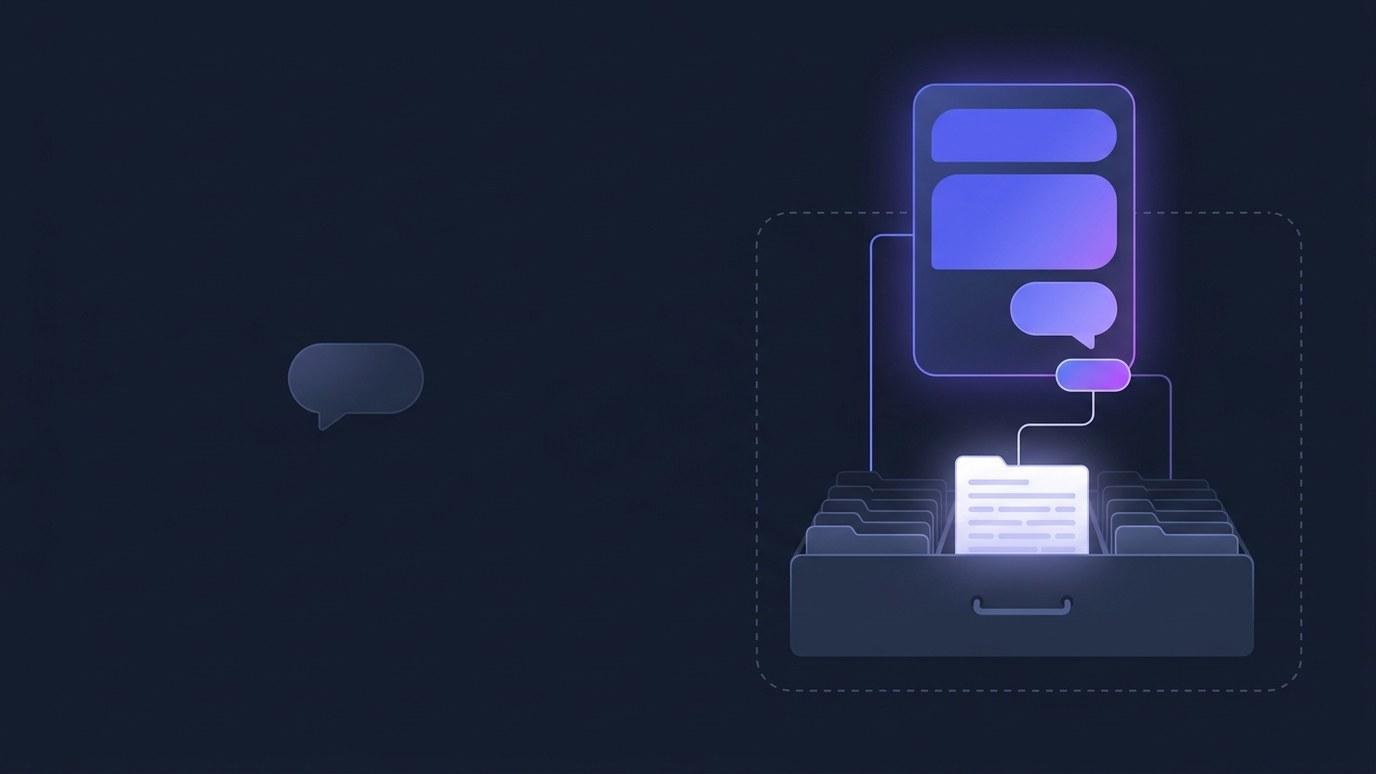
An agent is given a way to look. Faced with the same question, an agent works more like a colleague with the keys to the filing room: it works out what it actually needs, opens the right report, reads the rows that are genuinely in there, and only then writes an answer. The sentence you get back is assembled from your data rather than recalled from the model's memory. That single change — look it up first — is most of what people mean when they say agent, and it is the difference between an assistant that is charming and an assistant you can act on.
The machinery behind looking things up is called tool use, and it is far less exotic than it sounds. A tool is one narrow, specific thing the AI has been permitted to do: run this lookup, open that report, fetch this list. The agent is handed a short list of tools and nothing else. That list is the honest definition of what an agent can do, and it is the first thing worth asking a vendor for. If the list contains only lookups, the agent can only look. If it contains something that writes, edits, sends or deletes, you have been sold something with a very different risk profile, whatever the brochure says about safety.
So agentic AI, stripped of the mystique, is AI that can act within limits somebody sets. The limits matter every bit as much as the ability, and in education they arguably matter more. A school does not want an AI with initiative and a broad mandate. It wants an AI that can answer a question about a cohort quickly, accurately, traceably, and in a way a data protection officer can explain to a parent. That is a design problem, not a model problem, and it is solved by deciding up front what the agent may touch.
Here is what it looks like in practice, using Cog, the assistant in the EduGears AI products, as the running example. A teacher opens the assistant panel beside the course they are already teaching and types: who hasn't started Module 3? Cog decides that the module progress report is the one that answers this, applies the filters for that course, reads the rows, and replies with the actual names and counts — four learners have not opened it; nine of the thirteen enrolled have completed it. Underneath the answer sits a small chip naming the report it used and how many rows it read. Click the chip and that report opens, with the same filters applied. The figure in the sentence and the figure on the page are the same figure, and it takes one click to prove it.
That chip is doing more work than it looks. It converts the assistant from something you have to trust into something you can check, which is the only basis on which an AI answer belongs in a conversation about a real student. It also changes the failure mode. Where the report has no rows for the question asked, a well-built agent says so rather than filling the gap with something plausible. An agent that cannot find an answer and admits it is far more valuable than one that never admits anything.
Guardrails are the rest of the story, and they are worth stating as design decisions rather than promises. First, read-only. Cog can look; it cannot change anything — no grade touched, no record edited, no enrolment altered, no message sent on anyone's behalf. That is true because none of its tools can write, not because it has been asked nicely in its instructions. Second, scope. The agent answers as the person asking, with their role, their courses and their organisation; a report that is not open to that person is not open to the agent while they are the one asking. Third, traceability — the source chip described above. Fourth, a switch: data questions are a capability an organisation's administrators turn on or off for everyone, at any time, in the platform's own settings.
What does this actually buy a school? Mostly it lowers the cost of asking. Every institution has a set of questions nobody asks because the answer is three clicks and a filter away and the day is already full: which classes are drifting, who stopped showing up after the second assessment, whether the new induction course is landing. When asking costs one sentence, those questions get asked on a Tuesday afternoon instead of at the end of term. That is the whole benefit, and it is a real one. It is not autonomy, it is not a replacement for a member of staff, and anybody selling it as either is selling something we would not recognise.
If you are evaluating an agent for your institution, five questions will tell you most of what you need to know. Which tools does it have, in a list? Can any of them change anything? Whose data can it see, and is that enforced by the system or merely requested in a prompt? Can I see where each number came from, and open that source myself? And who can switch it off? Answers to those should be specific and immediate. Where a vendor reaches for adjectives, keep asking.
Cog works this way across the whole EduGears AI family: inside the white-label EduGears AI LMS at lms.edugears.ai, inside the Moodle, Canvas, Blackboard or Brightspace course you already run through the EduGears AI LTI integration at lti.edugears.ai, and for publishers at studio.edugears.ai. If you would like the longer explanation with a worked example exchange and the full guardrail list, our AI agents page at www.edugears.ai/ai-agents covers it, and we are happy to open the assistant on a real course and let you ask it something awkward.